Floral Silhouette Cut Files Guide
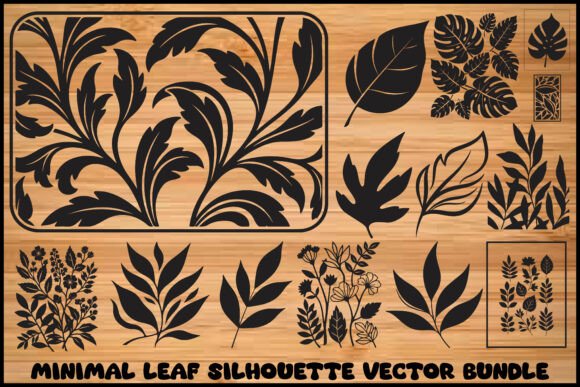
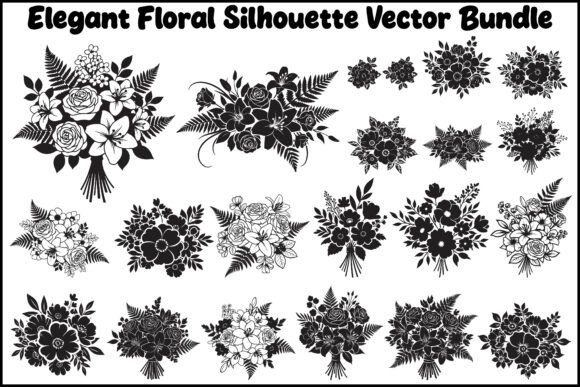
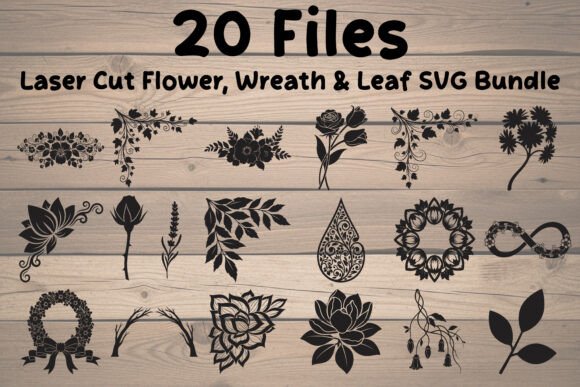
Digital design assets have transformed how creators approach physical projects, bridging the gap between imagination and tangible results. Among the most versatile tools in this digital toolkit are floral silhouette cut files. These are not merely images; they are precise vector instructions that guide cutting machines to carve intricate shapes from various materials. A high-quality bundle, such as a collection featuring twenty unique laser-cut flowers, wreath leaves, and botanical elements, serves as a foundational resource for anyone looking to elevate their craft without starting from scratch.
Understanding the utility of these files requires looking beyond the aesthetic appeal. For some, they represent a time-saving shortcut. For others, they are the basis of a commercial product line. The value proposition shifts depending on who is holding the mouse or operating the machine.
Defining the Digital Asset
At its core, a floral silhouette cut file is a digital blueprint. Unlike a standard photograph, which is made of pixels, these files are typically vectors (such as SVG or EPS formats). This means they are defined by mathematical paths rather than grids of colored dots. This distinction is critical because it allows the design to be resized infinitely without losing clarity or developing jagged edges. Whether you are cutting a two-inch sticker or a four-foot wooden sign, the lines remain crisp.
A comprehensive bundle usually includes multiple file formats to ensure compatibility across different software and hardware ecosystems. Common inclusions are:
- SVG: The standard for web-based cutting software like Cricut Design Space and Silhouette Studio.
- EPS: A professional vector format editable in Adobe Illustrator or CorelDRAW.
- PNG: High-resolution raster images with transparent backgrounds, useful for sublimation or digital printing.
- PDF: Ready-to-print documents for those who prefer traditional paper crafting.
This versatility ensures that the same floral design can be used for vinyl decals, laser-engraved wood, paper quilling, or fabric appliqué, making the initial investment highly flexible.
Perspectives from Different Creators
The way individuals interact with these digital assets varies significantly based on their experience level and end goals. Recognizing these differences helps in selecting the right resources and setting realistic expectations.
The Beginner Hobbyist
For those new to crafting, the primary concern is often ease of use. Beginners may feel overwhelmed by complex design software. A pre-made floral silhouette bundle removes the barrier of entry related to drawing skills. Instead of spending hours learning how to create a balanced wreath composition, a novice can import a ready-made SVG, adjust the size to fit their material, and hit "make."
For this group, reliability is key. They need files that are "clean," meaning there are no stray anchor points or unclosed paths that could cause the cutting machine to error out. A well-curated collection allows beginners to focus on mastering their machine’s tension settings and material handling rather than troubleshooting digital errors.
The Small Business Owner
Entrepreneurs running Etsy shops or local boutique businesses view these files through the lens of efficiency and commercial viability. Time is money. Designing custom floral elements for every wedding order is unsustainable. A bundle of twenty diverse designs provides a library of assets that can be mixed and matched to create unique products quickly.
Professionals prioritize licensing terms and scalability. They need to know if the files can be used for physical goods they intend to sell. Furthermore, they look for variety within the bundle—mandalas, frames, and individual leaves allow for product differentiation. A business owner might use one silhouette for a wooden welcome sign and another for a delicate paper invitation suite, maximizing the return on investment.
The Educator and Workshop Leader
Teachers and community workshop leaders require assets that are adaptable for various skill levels and age groups. Floral silhouettes are excellent for teaching symmetry, pattern recognition, and fine motor skills. An educator might use simple leaf shapes for younger students practicing scissor skills or paper cutting, while older students might use intricate mandala-style florals for advanced laser cutting or engraving projects.
For this audience, the inclusion of multiple formats is crucial. They may need PDFs for handouts and SVGs for digital fabrication labs. The educational value lies in demonstrating how a single digital concept can manifest in different physical mediums.
Practical Applications Across Mediums
The true power of floral silhouette cut files lies in their material agnosticism. The same digital file can produce vastly different results depending on the medium used.
- Vinyl Decals: Clean lines are essential here. Intricate floral details can be weeded easily if the design is optimized. These are popular for car windows, water bottles, and home organization labels.
- Laser Cutting Wood and Acrylic: Glowforge and other laser users benefit from vector files that define cut lines versus engrave areas. Floral silhouettes make stunning wall art, jewelry, and layered shadow boxes. The precision of the vector ensures that interlocking parts fit together perfectly.
- Paper Crafts: Card makers and scrapbookers use these files to create intricate layers. A silhouette cut from cardstock can serve as a focal point for a handmade greeting card or a decorative element in a wedding album.
- Textile and Heat Transfer: When converted into heat transfer vinyl (HTV), floral designs add elegant touches to tote bags, t-shirts, and pillows. The simplicity of a silhouette often translates better to fabric than overly complex photographic prints.
Evaluating Quality and Fit
Not all digital bundles are created equal. When assessing whether a specific set of floral silhouette cut files matches your needs, consider the following criteria:
Node Count and Complexity: High-quality vectors are optimized. Too many unnecessary nodes can slow down cutting machines and cause jerky movements. Look for descriptions that mention "clean" or "optimized" paths.
Variety of Elements: A good bundle offers more than just identical flowers. It should include complementary elements like leaves, stems, frames, and standalone accents. This allows for customization. You might combine a large flower silhouette with a delicate leaf to create a unique composition that doesn't look like a stock template.
Format Compatibility: Ensure the bundle includes the formats your specific workflow requires. If you use Cricut, SVG is non-negotiable. If you use professional design software, EPS is essential. Having PNGs included adds value for those who might want to use the designs digitally on social media or for sublimation printing.
Scalability: Test the files at extreme sizes. A robust vector design will hold its integrity whether shrunk to a quarter-inch for a charm or expanded to three feet for a backdrop.
Making the Right Choice
Selecting the right digital assets is about aligning the tool with your intent. If you are looking to learn design principles, start with simpler silhouettes that allow you to experiment with arrangement and spacing. If you are running a business, prioritize bundles with clear commercial licenses and high-volume versatility.
Ultimately, floral silhouette cut files are more than just downloads; they are enablers of creativity. They remove technical hurdles, allowing the creator to focus on the artistic and functional aspects of their project. Whether you are crafting a gift for a friend, decorating your home, or building a brand, these digital tools provide the structural foundation needed to bring botanical beauty to life in the physical world.